

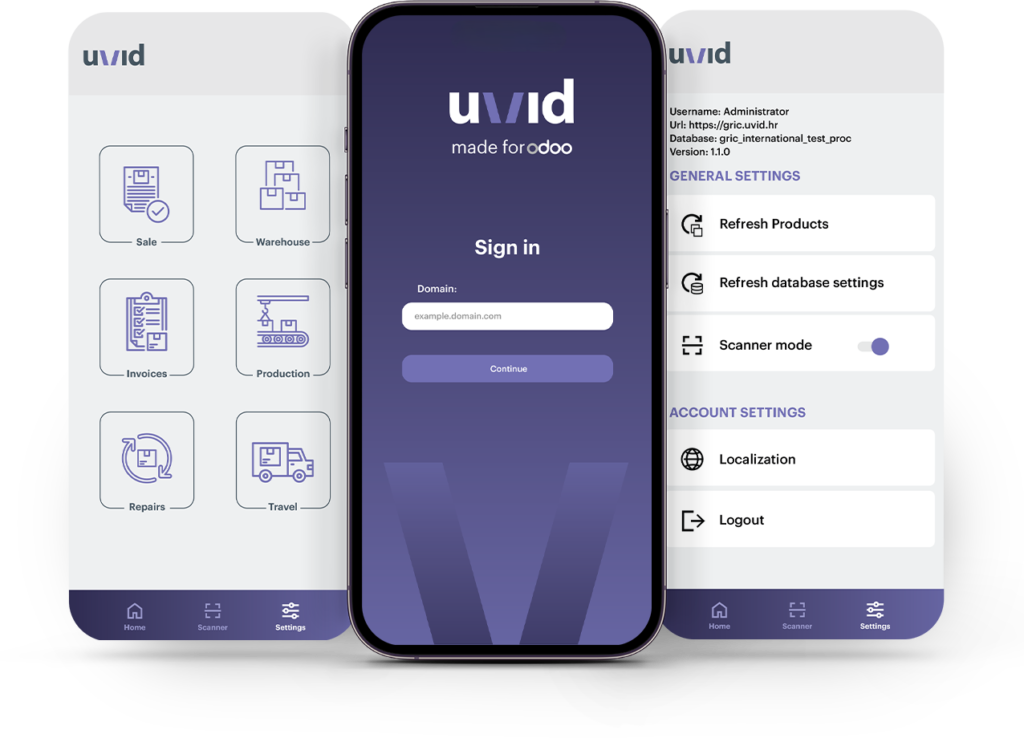

Sales
Elevate your sales management with our intuitive web application. Access a comprehensive list of sales orders, create new ones, add items (products), and effortlessly edit quantities and discounts. Seamlessly integrate with a barcode scanner to add new products, even those with LOT/SN tracking.

Invoicing
Experience the automation of the invoicing process. Generate invoices automatically from sales orders, approve them, and register payments with ease. The configurator allows you to choose permitted journals for payments and invoices, offering flexibility in financial operations.

Inventory
Efficiently manage your inventory by editing and approving warehouse documents, adding new products, confirming quantities, and working with Lots and Serial Numbers. Easily navigate through all warehouse documents, with options for grouping and filtering.

Production
Optimize production processes with the ability to review all production orders, initiate work orders effortlessly with user-friendly controls (START/STOP/PAUSE), and edit and approve related production warehouse documents, ensuring accurate tracking of component and raw material consumption.

Services
Enhance service order management by generating and editing service orders. Add early times, assign service personnel, include contact forms, and seamlessly link with travel orders for a streamlined service experience.

Travel Order
Empower your users to generate travel orders with all necessary details, preparing orders for seamless accounting processes. This feature ensures a comprehensive approach to travel order creation.

Barcode Scanner
Utilize our advanced barcode scanner to scan documents (QR codes and barcodes) and products (EAN, GS1-128, GS1 Datamatix, GS1 Databar, QR code…). Compatible with both device cameras and dedicated 2D barcode scanners like Zebra, Honeywell, or others.

Configurator
Tailor the application to your unique preferences and requirements using the ERP configurator. Set and edit configuration settings for an individualized user experience.

Prints Reports and Attachments
All data models support the addition and download of attachments, as well as document printing in PDF format, ensuring comprehensive documentation and record-keeping.